
Quick Tag Settings
Lite
Quick Tag settings define the lightweight tag list used by Lite and Pro for fast Actor and Component tag workflows.
Open Settings
Section titled “Open Settings”Project Settings | Project | J2 Quick Tags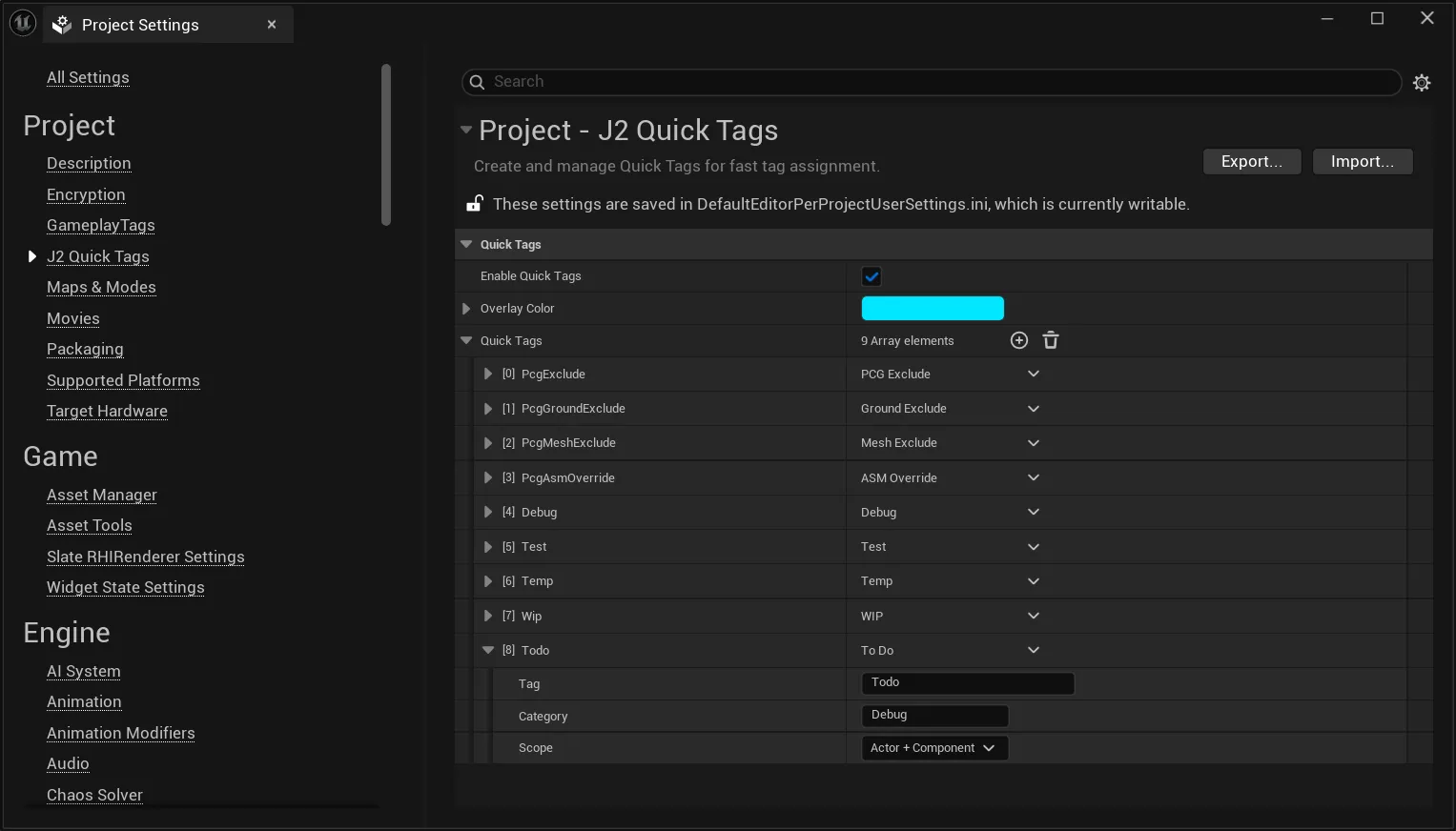
Settings
Section titled “Settings”| Setting | Purpose |
|---|---|
| Enable Quick Tags | Shows configured Quick Tags in J2 tag pickers and inspector shortcuts. |
| Overlay Color | Shared color for Quick Tag highlighting in editor UI and the Viewport Overlay. |
| Quick Tags | List of reusable tag entries. |
Quick Tag Entry
Section titled “Quick Tag Entry”| Field | Purpose |
|---|---|
| Tag | Technical tag name stored on the Actor or Component. |
| Display Name | Optional UI label. |
| Category | Groups Quick Tags in the UI. Defaults to Default when empty. |
| Scope | Actor, Component, or Actor + Component. |
Scope Behavior
Section titled “Scope Behavior”Quick Tags can be applied to Actor Tags, Component Tags, or both depending on the selected scope. They cannot be used as Asset Tags.
Limits
Section titled “Limits”Quick Tags are intentionally simple:
- no Asset scope
- no redirects
- no nested groups
- no per-tag behavior mapping
- no TagSet-level diagnostics metadata