
Undefined Tags
Lite Pro
A tag is undefined when it exists on an Actor, Component, or Asset but is not defined as a Quick Tag or TagSet Tag.
Undefined Tags still work technically because they remain normal Actor Tags, Component Tags, or Pro Asset metadata. They become a documentation and validation problem because no registered definition describes their intended scope, display name, color, tooltip, redirect, or behavior mapping.
Why They Happen
Section titled “Why They Happen”| Cause | Example |
|---|---|
| Manual entry | A user types a new tag directly in the picker. |
| Import | Data comes from CSV, JSON, Gameplay Tags, or older projects. |
| Removed definition | A Quick Tag or TagSet Tag was deleted. |
| Rename without migration | Old tag names still exist on objects. |
| Pro/Lite changes | A Pro TagSet is missing, but tag usage remains in the level. |
Impact
Section titled “Impact”| Missing definition data | Result |
|---|---|
| Scope | Pro Diagnostics can report the tag as Not Defined, but cannot validate intended scope. |
| Display name and tooltip | Pickers and inspectors have less context. |
| Stable color | Overlay falls back to generic presentation. |
| Redirects | Rename migration is not traceable. |
| Behavior mapping | The tag cannot drive mapped behaviors. |
Find Undefined Tags
Section titled “Find Undefined Tags”| Tool | Use |
|---|---|
| Assignments Panel | Filter undefined tags in the current level. |
| Tag Inspector | Spot undefined tags on selected objects. |
| Diagnostics | Review project-wide or database-backed issues. |
Resolve Them Pro
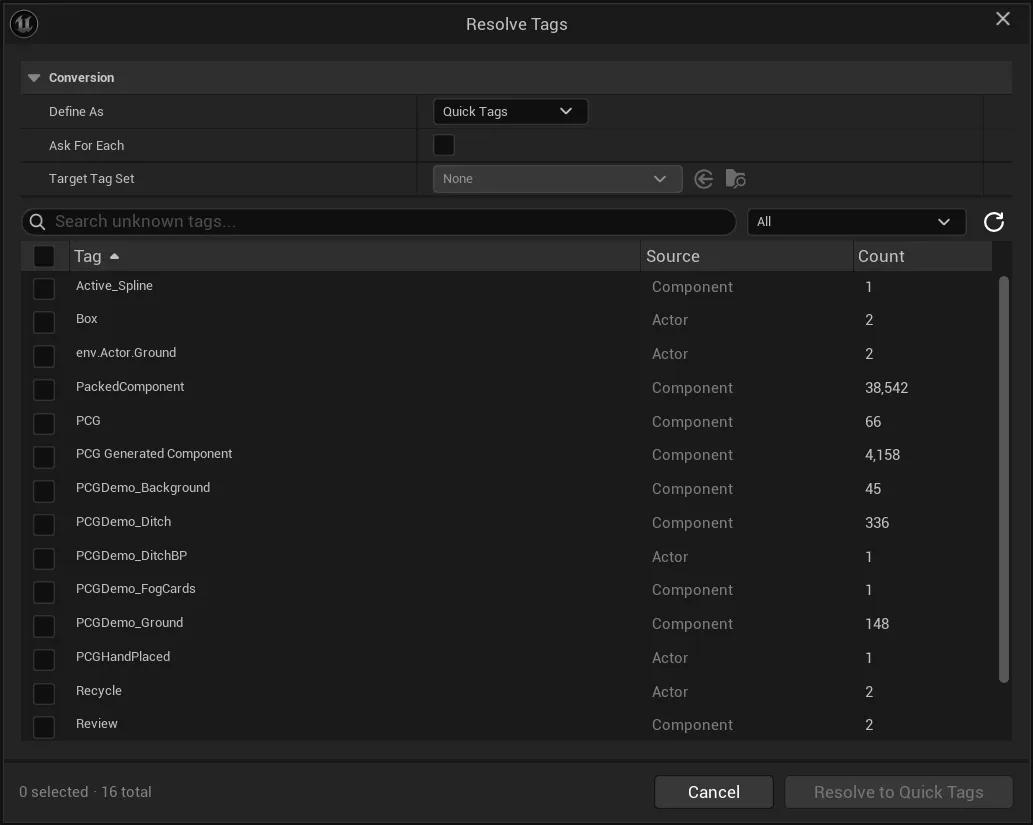
Section titled “Resolve Them ”ProUse Resolve Tags in Pro when several undefined tags need decisions.
- Open the Assignments Panel.
- Filter or expand Not Defined Tags.
- Run Resolve Tags from the Pro toolbar.
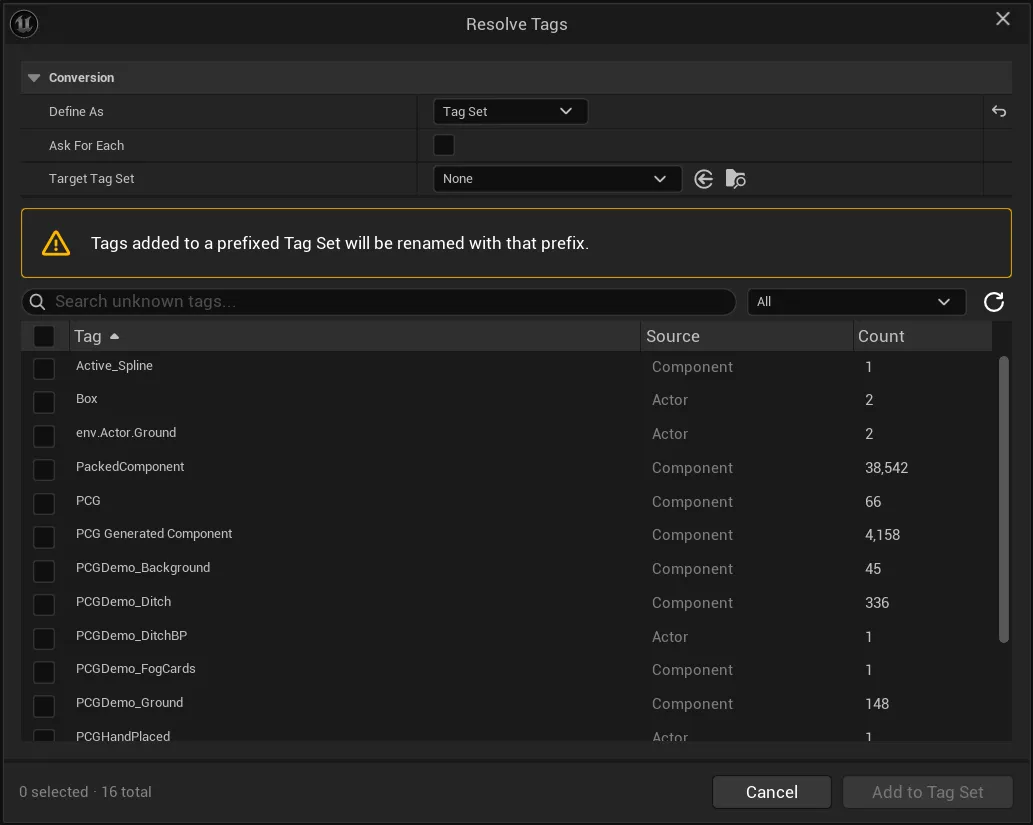
- Choose whether selected tags should become Quick Tags or TagSet Tags.
- Confirm the selected tags and target settings.
- Run Diagnostics again.
When resolving to a TagSet, select the target TagSet and make sure the tags are compatible with the Actor or Component usage that was found.
Decision Guide
Section titled “Decision Guide”| Decision | Use when |
|---|---|
| Define as Quick Tag | The tag is a simple Actor or Component shortcut. |
| Promote to TagSet Tag | The tag needs structure, Asset scope, redirects, usage tracking, diagnostics, or behaviors. |
| Leave undefined | The tag is temporary or intentionally local. |
| Remove it | The tag is accidental, stale, or no longer meaningful. |