
Plugin Settings
Lite Pro
This page summarizes the settings that affect J2 Tags editor behavior.
Quick Tag Settings Lite
Section titled “Quick Tag Settings ”LiteOpen:
Project Settings | Project | J2 Quick Tags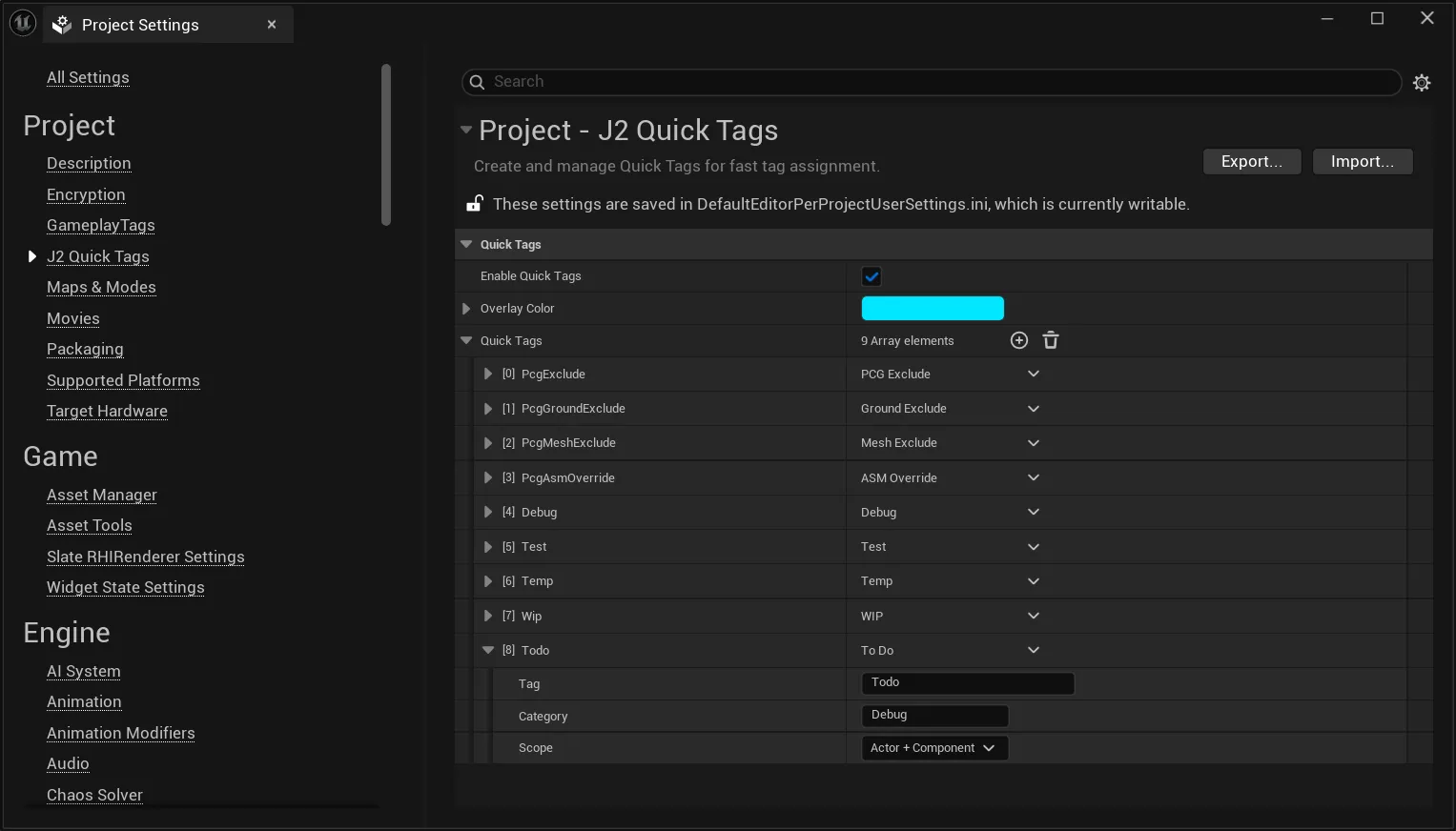
Class:
UJ2QuickTagSettings| Setting | Purpose |
|---|---|
| Enable Quick Tags | Shows Quick Tags in pickers and inspector shortcuts. |
| Overlay Color | Shared color for Quick Tag overlay highlighting. |
| Quick Tags | List of Quick Tag entries. |
Quick Tag Entry
Section titled “Quick Tag Entry”| Field | Purpose |
|---|---|
| Tag | Technical tag name stored on Actors or Components. |
| Display Name | Optional UI label. |
| Category | Groups Quick Tags in picker and panel sections. |
| Scope | Actor, Component, or Actor + Component. |
Editor Settings Pro
Section titled “Editor Settings ”ProOpen:
Project Settings | Plugins | J2 Tags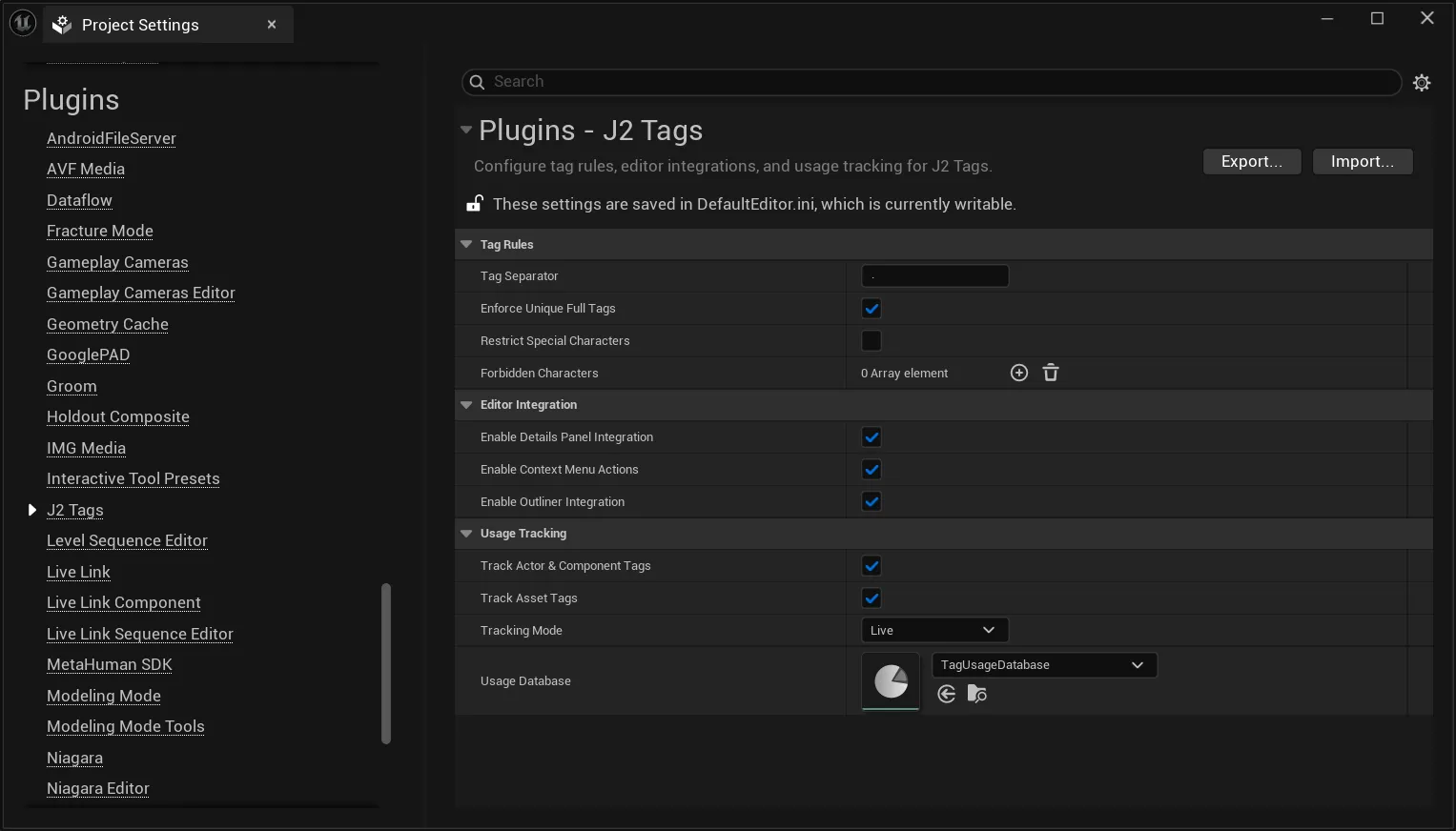
Class:
UJ2TagEditorSettings| Category | Settings |
|---|---|
| Tag Rules | Tag separator, unique full tag enforcement, character restrictions, additional forbidden characters. |
| Editor Integration | Details panel integration, context menu actions, Outliner integration. |
| Usage Tracking | Actor/Component tracking, Asset Tag tracking, tracking mode, Usage Database. |
Tag Rules
Section titled “Tag Rules”| Setting | Behavior |
|---|---|
| Tag Separator | Separator used for hierarchical tag paths. Empty values are reset to .. |
| Enforce Unique Full Tags | Prevents two TagSets from defining the same effective full tag. |
| Restrict Special Characters | Blocks whitespace and reserved characters in tag names while still allowing the configured separator. |
| Forbidden Characters | Adds extra literal tokens that should be blocked. |
Editor Integration
Section titled “Editor Integration”| Setting | Behavior |
|---|---|
| Enable Details Panel Integration | Shows J2 tag controls in supported Actor, Component, and Asset details panels. |
| Enable Context Menu Actions | Adds J2 tag actions to supported editor context menus. |
| Enable Outliner Integration | Adds J2 tag information to supported Outliner views. |
Usage Tracking Settings
Section titled “Usage Tracking Settings”| Setting | Purpose |
|---|---|
| Track Actor & Component Tags | Include level Actor and Component tags in scans and live tracking. |
| Track Asset Tags | Include J2 Asset Tags in scans and live tracking. |
| Tracking Mode | Live updates dirty objects automatically; Manual updates only when a scan is run. |
| Usage Database | Asset used to persist usage references. |