
What is J2 Tags?
J2 Tags is native Unreal Editor tooling for working with Actor Tags, Component Tags, Quick Tags, Pro TagSet Tags, and Pro Asset Tags.
It does not replace Unreal’s existing tag storage. Actor Tags still live in AActor::Tags, and Component Tags still live in UActorComponent::ComponentTags. J2 Tags adds editor tools that make those tags easier to assign, inspect, visualize, validate, migrate, and maintain.
Main Building Blocks
Section titled “Main Building Blocks”| Area | What it does |
|---|---|
| Quick Tags | Lightweight Actor and Component tag definitions stored in editor settings. |
| Tag Picker | Shared search and selection UI for adding or replacing tags. |
| Tag Inspector | Details panel integration for selected Actors and Components. |
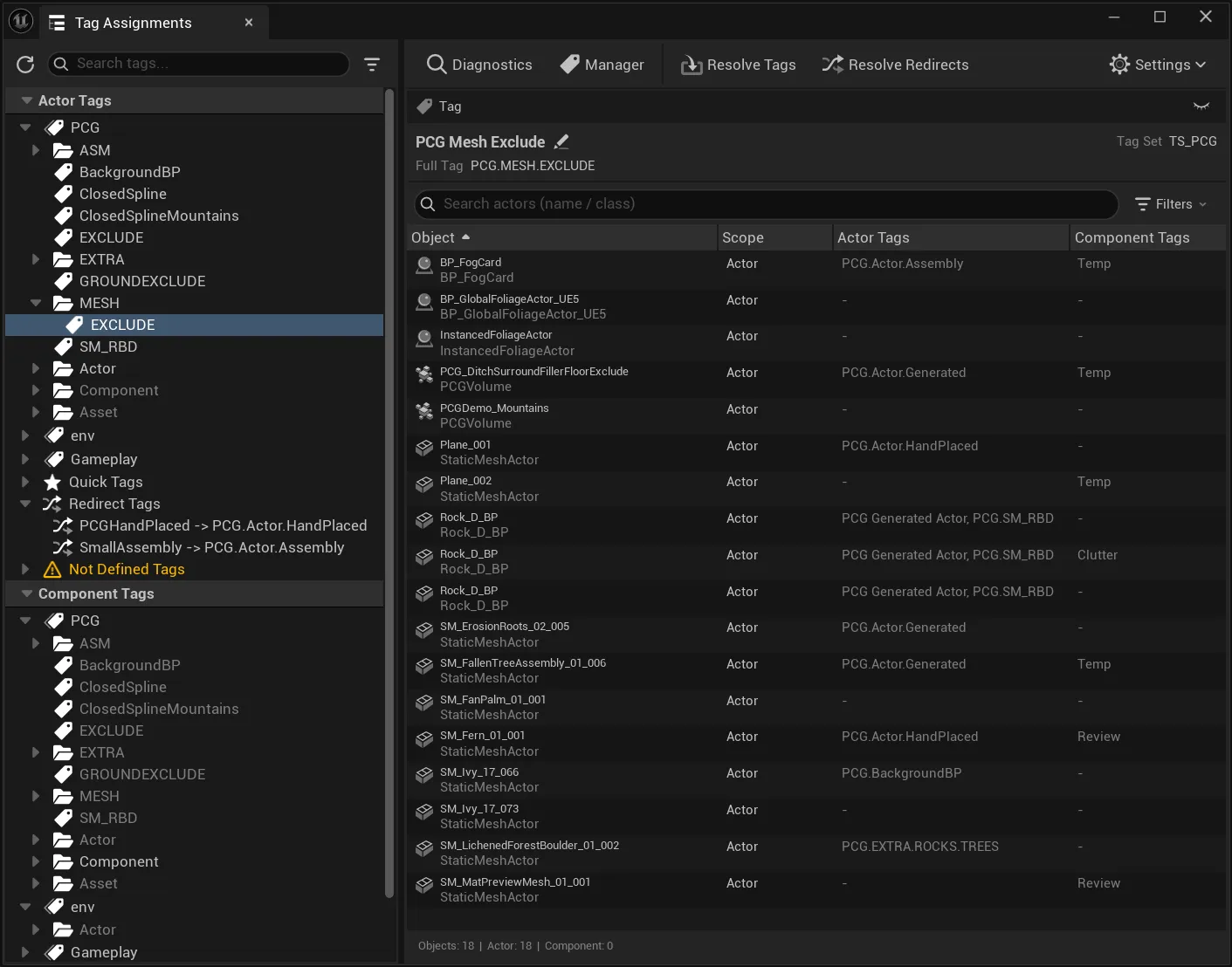
| Assignments Panel | Level-wide view of tags and the Actors or Components that use them. |
| World Outliner column | Quick tag visibility directly in the Actor list. |
| Viewport Overlay | Bounding boxes and labels for tagged Actors in the viewport. |
| TagSets | Pro Data Assets that define stable project tags with prefix, groups, scopes, metadata, redirects, and behaviors. |
| Asset Tags | Pro metadata tags for Content Browser assets. |
| Diagnostics | Pro validation for undefined tags, scope mismatches, redirects, usage, and custom issues. |
| Behavior System | Pro automation that reacts to tag, Actor, Component, Asset, or manual events. |
What J2 Tags Adds
Section titled “What J2 Tags Adds”| Need | J2 Tags area |
|---|---|
| Assign tags quickly to Actors or Components | Quick Tags, Tag Picker, Tag Inspector, context menus |
| Review tag usage in the current level | Assignments Panel, World Outliner, Viewport Overlay |
| Define stable project tags | TagSets, Tag Manager |
| Tag Content Browser assets | Asset Tags |
| Find invalid, old, or inconsistent tags | Diagnostics, redirects, usage tracking |
| Automate validation or editor actions | Behavior System |
In One Sentence Lite
Section titled “In One Sentence ”LiteJ2 Tags Lite improves daily Actor and Component tag work in the Unreal Editor: Quick Tags, Assignments Panel, Tag Inspector, Tag Picker, context menus, World Outliner integration, Viewport Overlay, and runtime helper APIs.
In One Sentence Pro
Section titled “In One Sentence ”ProJ2 Tags Pro adds the production layer: TagSet assets, Asset Tags, Tag Manager, Diagnostics, redirects, usage tracking, import/export, and the Behavior System.
What J2 Tags Is Not
Section titled “What J2 Tags Is Not”J2 Tags is not a replacement for Unreal Gameplay Tags. Gameplay Tags can still be used where a project needs that system. J2 Tags focuses on editor workflows around native Actor Tags, native Component Tags, Quick Tags, TagSet Tags, and Pro Asset Tags.
J2 Tags is also not a full runtime gameplay framework. The runtime modules provide safe tag helpers, events, TagSet data, and behavior execution data where needed, but the main product experience is editor tooling.
Recommended Reading Path
Section titled “Recommended Reading Path”- Start with Lite vs Pro.
- Follow the Quick Start for the first useful setup.
- Use Common Workflows to map tasks to the right tool.