
Viewport Overlay
Lite Editor Tool
The Viewport Overlay makes tagged Actors visible directly in the level. It can be enabled globally from the viewport Show menu or triggered for individual tags from the Tag Inspector and Assignments Panel.
Open It
Section titled “Open It”Show | J2 Tag Overlay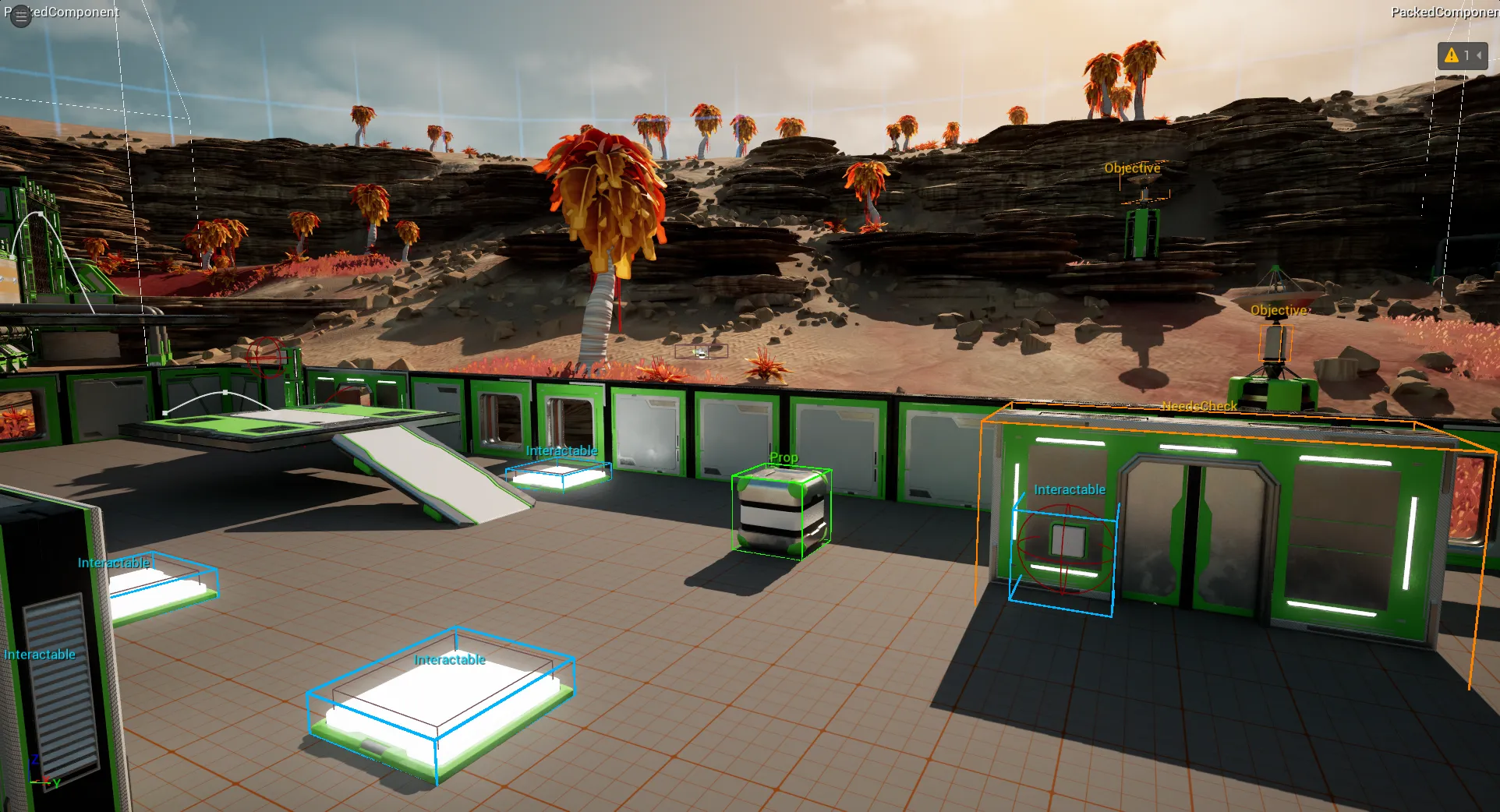
When to Use It
Section titled “When to Use It”| Situation | Use the overlay to |
|---|---|
| Check selected Actors | Confirm which tags are assigned in spatial context. |
| Review a level area | Highlight all tagged Actors in the current view. |
| Validate tag colors | See Quick Tag or TagSet highlight colors in the viewport. |
| Debug cleanup work | Confirm old references are no longer visible. |
Global Overlay Modes
Section titled “Global Overlay Modes”| Mode | Output |
|---|---|
| Off | Disables the global overlay. Individual tag highlights can remain visible until cleared. |
| All Actors | Shows tags for all Actors within render distance. |
| Selected Only | Shows tags only for selected Actors. |
Tag Highlights
Section titled “Tag Highlights”The eye buttons in the Tag Inspector and Assignments Panel can highlight individual tags independently of the global overlay mode. Use Clear Highlights in the overlay menu to remove those focused highlights.
Display Modes
Section titled “Display Modes”| Mode | Output |
|---|---|
| Bounding Box Only | Draws only boxes around tagged Actors. |
| Display Name | Shows the display name defined by Quick Tags or TagSets when available. |
| Tag Name Only | Shows only the leaf tag name, for example Door from Gameplay.Interaction.Door. |
| Full Tag | Shows the full tag path. |
Render Distance
Section titled “Render Distance”The overlay menu includes render-distance presets from close review to full-level inspection. Use shorter distances while editing dense levels so the viewport stays readable.
Colors
Section titled “Colors”| Source | Color |
|---|---|
| Quick Tags | Shared Quick Tag overlay color from settings. |
| TagSet Tags | Per-tag highlight color from the TagSet definition. |
| Undefined Tags | Editor fallback color. |