
Working with TagSets
Pro
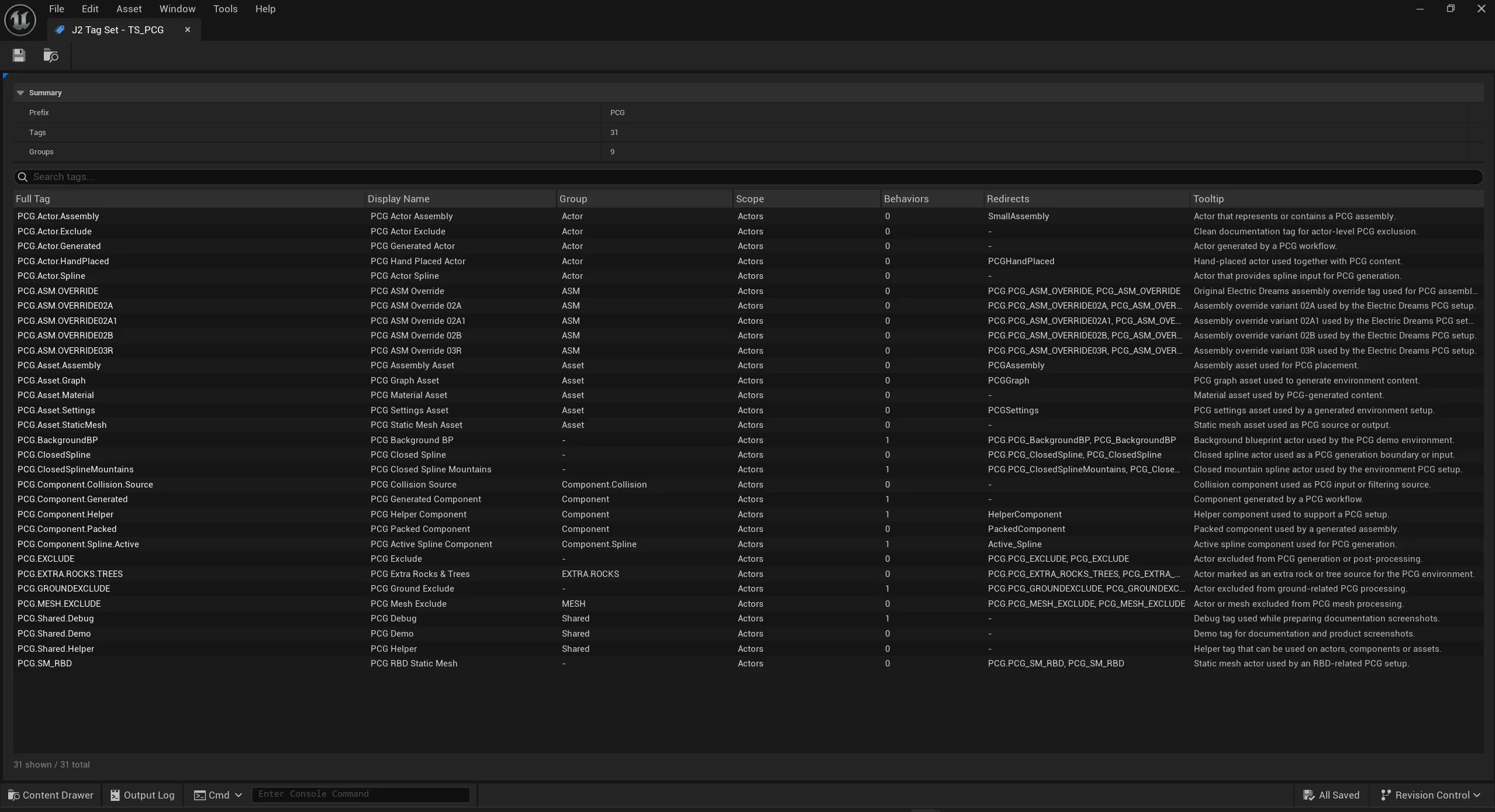
TagSets are Pro Data Assets for defined, structured tags. They are the recommended source of truth for tags that should remain stable across a project.
When to Use Them
Section titled “When to Use Them”| Situation | Use TagSets when |
|---|---|
| Tags are shared across levels or teams | The tag name needs stable project meaning. |
| Tags need validation | Scope, definitions, and Diagnostics matter. |
| Tags need Asset scope | Content Browser assets should carry J2 metadata. |
| Tags may be renamed | Redirects should preserve old references. |
| Tags drive automation | Behaviors should be mapped to tags, groups, or TagSets. |
Concept
Section titled “Concept”A TagSet has a prefix. Each tag inside the TagSet has a local name. The full tag is built from the prefix and the local name.
TagSet Prefix: AILocal Tag: State.PatrolFull Tag: AI.State.PatrolTagSet Fields
Section titled “TagSet Fields”| Field | Purpose |
|---|---|
| Display Name | UI label for the TagSet. |
| Tag Prefix | Shared prefix for all tags in the TagSet. |
| Description | Explanation for users and tooltips. |
| Scope | Default scope when groups or tags do not override it. |
| Local Policies / Behavior Sections | Behaviors that apply at TagSet level. |
| Behavior Input Overrides | Values that can be customized at mapping level. |
| Tags | Concrete tag definitions. |
| Groups | Structural groups and scope/behavior inheritance. |
Tag Fields
Section titled “Tag Fields”| Field | Purpose |
|---|---|
| Name | Local tag name without prefix. |
| Display Name | UI label in pickers, inspector, and overlay. |
| Scope Override | Optional scope for this tag. |
| Tooltip | Explanation for users. |
| Highlighting Color | Color used in overlay and UI highlights. |
| Redirect From | Old full tag names that redirect to this tag. |
| Behaviors | Local behavior assets or sections. |
| Behavior Input Overrides | Values that can be customized at mapping level. |
Groups
Section titled “Groups”Groups structure local tag names, for example State, State.Combat, or Interaction. Groups can inherit or override scope and behaviors.
Recommended Practice
Section titled “Recommended Practice”- Use short, clear prefixes.
- Use groups for meaning, not only visual organization.
- Add tooltips for tags other people will use.
- Use redirects when renaming instead of untracked bulk replacement.
- Add Asset scope deliberately so Content Browser metadata stays meaningful.
- Use the Tag Manager for daily editing; use the raw Data Asset view mainly for inspection.