
Quick Tags
Quick Tags are the lightweight tag definition system in J2 Tags. They are designed for fast, frequently used Actor and Component tags and are available in Lite and Pro.
When to Use Them
Section titled “When to Use Them”| Good fit | Better with Pro TagSets |
|---|---|
| early prototypes | project-wide taxonomy |
| small tag lists | many teams or many levels |
| level-local labels | tag renames with redirects |
| simple Actor/Component tags | Asset Tags or Behaviors |
Open Settings
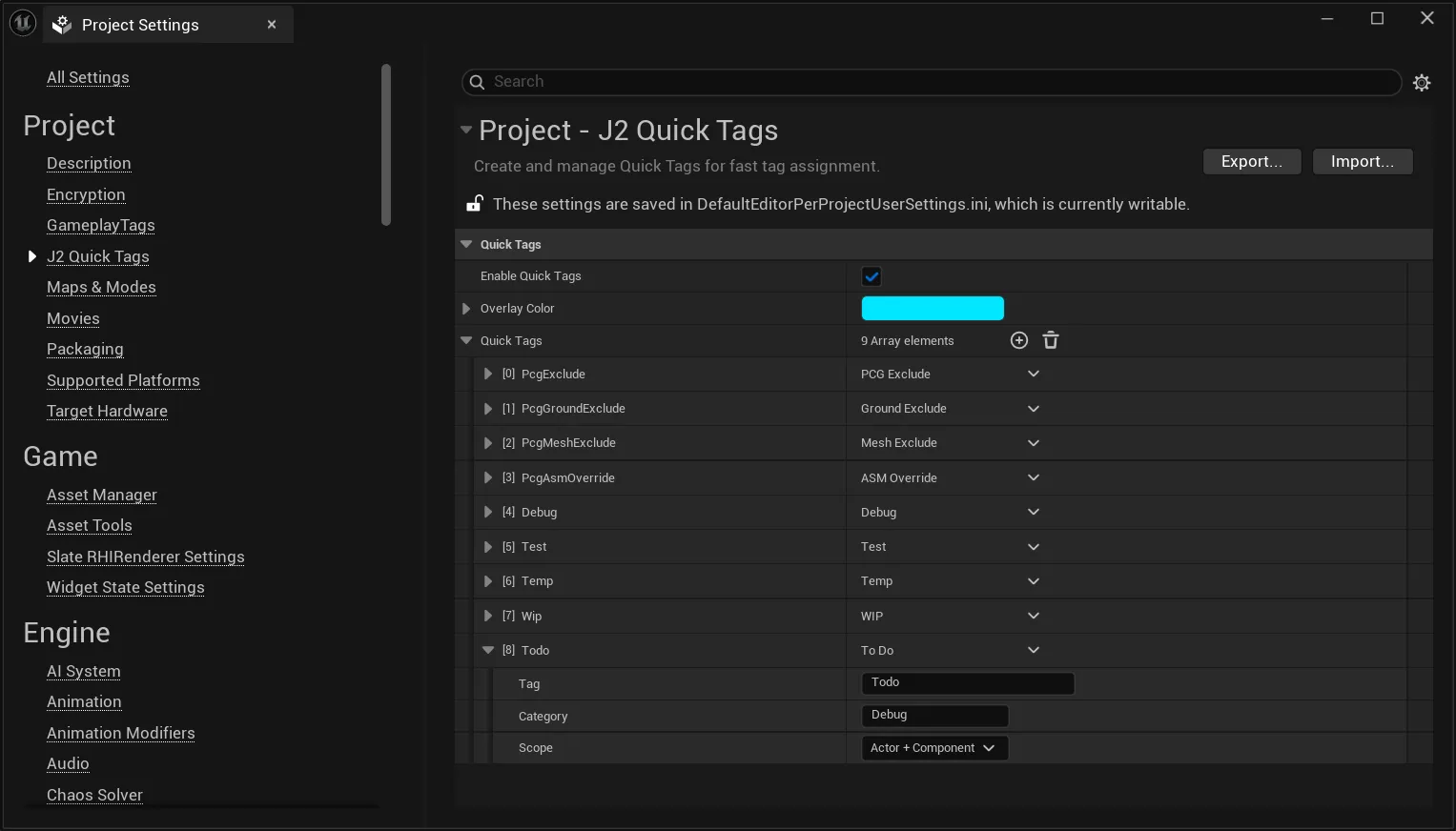
Section titled “Open Settings”Project Settings | Project | J2 Quick TagsEntry Fields
Section titled “Entry Fields”| Field | Purpose |
|---|---|
| Tag | Technical tag name stored on the Actor or Component. |
| Display Name | Optional UI label shown in pickers and inspectors. |
| Category | UI grouping used by Quick Tag lists and picker sections. |
| Scope | Actor, Component, or Actor + Component. |
How Quick Tags Appear
Section titled “How Quick Tags Appear”Quick Tags are available in the Tag Picker, Tag Inspector, context menus, Assignments Panel, and Viewport Overlay. Their category groups help keep small tag lists readable without creating a full TagSet structure.
In Lite, Quick Tags use the normal tag icon. In Pro, Quick Tags may appear with a star symbol so users can distinguish them from TagSet Tags.
Overlay Color
Section titled “Overlay Color”Quick Tags share one overlay color from the J2 Quick Tags settings. This color is used for editor highlighting and the Viewport Overlay when a Quick Tag is displayed.
Limits
Section titled “Limits”Quick Tags are intentionally simple:
- no Asset scope
- no redirects
- no nested groups
- no per-tag highlight color
- no behavior mapping
Recommendation
Section titled “Recommendation”Keep Quick Tags small. If a tag needs documentation, validation, Asset support, redirects, usage tracking, or behaviors, move it into a TagSet.