
Usage Tracking
Pro Diagnostics
Usage Tracking records where tags are used so Diagnostics, redirects, cleanup tools, and tag review workflows can work with current references.
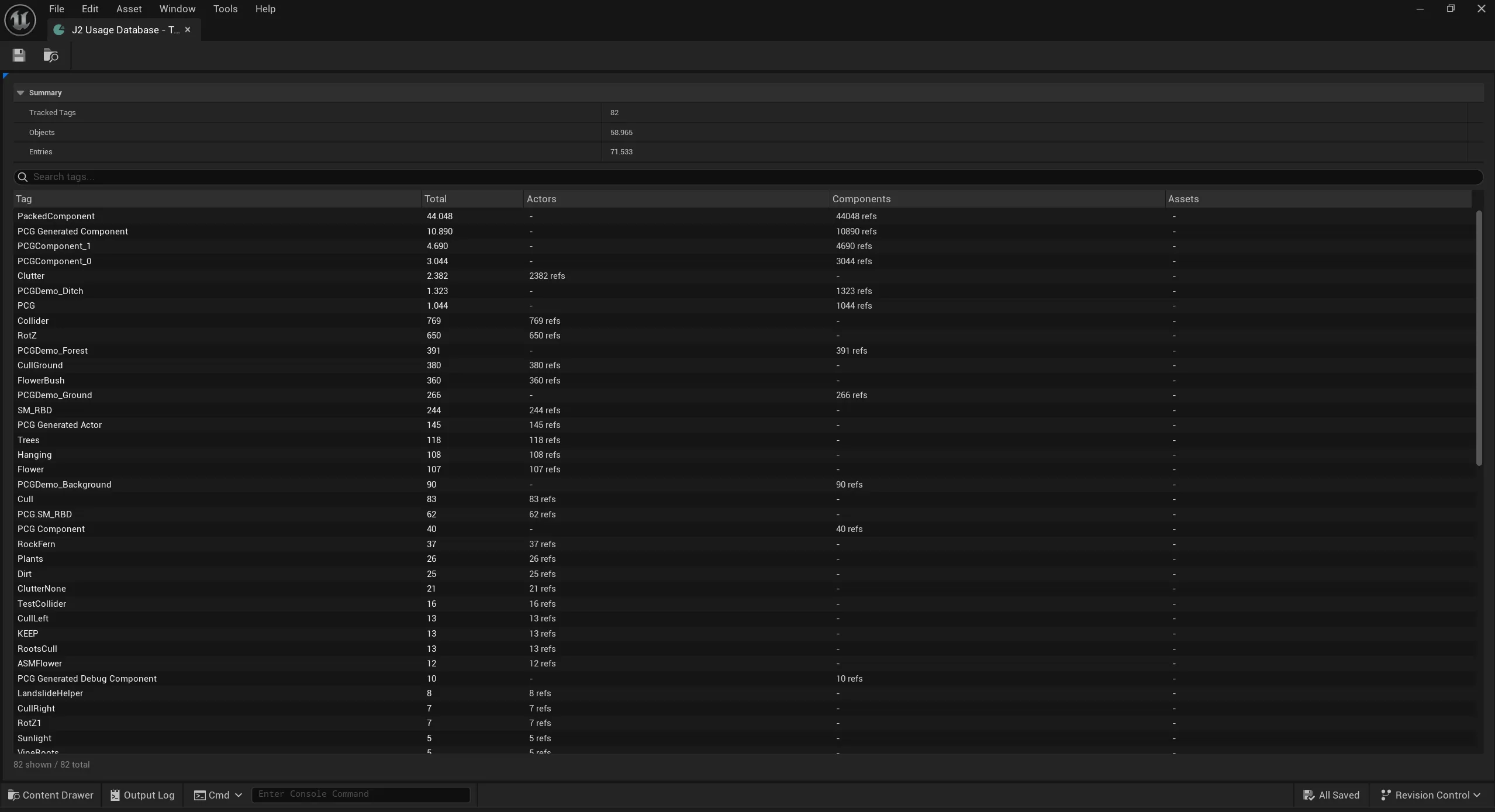
Usage Database
Section titled “Usage Database”Tag usage data is stored in the Tag Usage Database. Select it in the Pro settings:
Project Settings | Plugins | J2 Tags| Setting | Purpose |
|---|---|
| Usage Database | Asset used to persist scan results and references. |
| Track Actor & Component Tags | Includes level Actor and Component tag usage. |
| Track Asset Tags | Includes Pro Asset Tag metadata. |
| Tracking Mode | Controls Live or Manual tracking. |
Tracking Modes
Section titled “Tracking Modes”| Mode | Use when |
|---|---|
| Live | The project wants changed objects marked automatically as tag edits happen. |
| Manual | The project wants scans only when a user explicitly starts them. |
What Gets Tracked
Section titled “What Gets Tracked”Depending on settings and scan scope, tracking can include:
- Actor Tags
- Component Tags
- Asset Tags
- redirect references
- undefined tag usage
- scope mismatch references
- behavior-generated custom issues
Current Level vs Full Project
Section titled “Current Level vs Full Project”Diagnostics can scan the current level or the full project. Current-level scans are faster and useful while editing one map. Full-project scans are better before cleanup, import/export review, redirect removal, or release validation because they include cached references outside the current level.
Basic Workflow
Section titled “Basic Workflow”- Create or select a Tag Usage Database.
- Choose whether to track Actor and Component tags, Asset Tags, or both.
- Pick Live or Manual mode.
- Run Diagnostics after large imports, renames, or content changes.
- Use Usage, Redirects, Not Defined, and Unused Tags to guide cleanup.